MY MOTOSPEAK™ APP

MY MOTOSPEAK™ APP

HANDS-FREE TEXTING

  • Free Android™ app works with your compatible Motorola Bluetooth® headset or in-car speakerphone.
  • Start a new text, or listen to an incoming text and reply – all without touching your phone.
  • Be more productive and drive more responsibly.
Tile image

TEXTING IS AS EASY AS TALKING

My MotoSpeak uses text-to-speech and speech-to text software so you can send, hear and answer text messages through your headset without touching your phone. Requires a compatible Motorola Bluetooth® headset or speakerphone.

Tile image

CUSTOMIZE YOUR AUDIO SETTINGS

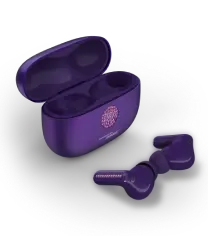
My MotoSpeak also lets you improve the sound quality of your conversations and music by tweaking audio settings of your MOTOROLA ELITE SLIVER or MOTOROLA ELITE FLIP headset.

See How It Works

Tile image

GETTING STARTED WITH MY MOTOSPEAK

Step One: Download the free My MotoSpeak app from Google Play™.
Step Two: Follow the built-in tutorial.
Step Three: Start talking and texting.

Quick Tutorial

Tile image

COMPATIBILITY WITH OLDER MOTOROLA DEVICES

Most of the My MotoSpeak features also work on certain older Motorola Bluetooth® devices. Refer to the attached compatibility chart for details.

Compatibility Chart

Tile image

HANDY HANDS-FREE HELP

Make sure you know the current hands-free laws in your state. If you're on the road a lot, our free "Smart Handsfree" app at Google Play can help you stay on top of local laws.

Get The App

Tile image

DOWNLOAD IT FOR FREE

The free My MotoSpeak app can be downloaded from Google Play. Requires a phone running Android 2.0 or higher.

Get My MotoSpeak